
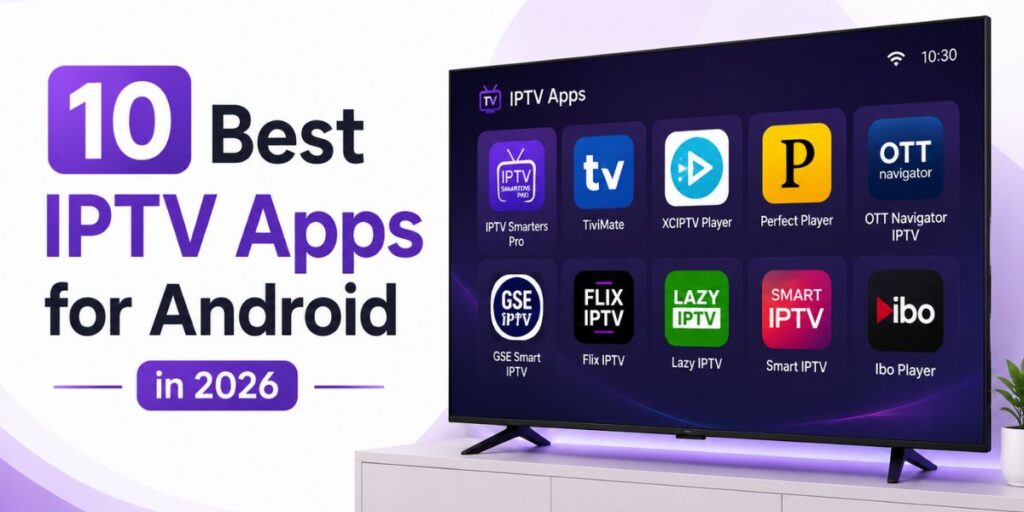
Android has become one of the best platforms for IPTV because it gives users the freedom to watch content on smartphones, tablets, Android TV, and Google TV devices. The experience you get, however, depends largely on the IPTV app you choose. A good app makes it easy to browse channels, manage playlists, view TV schedules, and enjoy smooth playback, while a poor app can make even a reliable IPTV service frustrating to use.
With so many IPTV apps available, choosing the right one can be confusing. Some apps are designed for beginners with simple interfaces, while others offer advanced features such as multiple playlist support, parental controls, external video players, and Electronic Program Guides (EPG).
What Makes a Great IPTV App?
Before downloading any IPTV app, it’s worth knowing which features make the biggest difference.
Simple and User-Friendly Interface
A clean layout allows you to find live TV, movies, and playlists quickly. Apps with well-organized menus save time and make navigation easier for every user.
Playlist Compatibility
Most IPTV providers support formats like M3U playlists and Xtream Codes. Choosing an app that works with both gives you more flexibility.
Electronic Program Guide (EPG)
EPG support lets you see current and upcoming TV programmes, making it much easier to browse live channels.
Smooth Performance
A responsive app with fast loading times creates a better viewing experience, especially when switching between channels.
Regular Updates
Apps that are updated frequently tend to be more stable, secure, and compatible with the latest Android devices.
1. IPTV Smarters Pro
IPTV Smarters Pro is one of the most widely used IPTV apps for Android. It has a modern interface, supports multiple playlist formats, and is simple enough for beginners while still offering useful features for experienced users.
Best For
- New IPTV users
- Families
- Android phones and Android TV
Key Features
- Xtream Codes and M3U support
- Electronic Program Guide (EPG)
- Multi-screen viewing
- Catch-up support (when available)
- Easy-to-use interface
Its clean design and straightforward setup make IPTV Smarters Pro an excellent choice for everyday streaming.
2. TiviMate
TiviMate is designed mainly for Android TV users who want a premium viewing experience. Its polished interface and powerful customization options have made it one of the favourite IPTV apps for large-screen entertainment.
Best For
- Android TV
- Google TV
- Home entertainment systems
Key Features
- Beautiful TV-friendly interface
- Advanced EPG support
- Favourite channel management
- Custom channel groups
- Multiple playlist support
TiviMate is ideal for users who watch IPTV primarily on their television.
3. XCIPTV
XCIPTV combines speed, simplicity, and useful features in one application. It offers a modern interface and works well on a wide range of Android devices.
Best For
- Everyday streaming
- Android smartphones
- Android TV
Key Features
- Built-in media player
- External player support
- Fast navigation
- EPG compatibility
- User-friendly interface
XCIPTV is a reliable option for users looking for a balance between performance and ease of use.
4. IBO Player
IBO Player has gained popularity because of its clean interface and smooth playback. It allows users to organise playlists easily and provides a consistent viewing experience on compatible Android devices.
Best For
- Users who want a modern interface
- Android TV
- Smart streaming setups
Key Features
- Playlist management
- Fast channel loading
- Clear navigation
- High-quality playback
- Simple activation process
Its lightweight design makes it easy to use, even for beginners.
5. GSE Smart IPTV
GSE Smart IPTV is a feature-rich application that supports multiple playlist formats and offers excellent flexibility for users who like to customise their IPTV experience.
Best For
- Advanced users
- Multiple IPTV playlists
- Android smartphones and tablets
Key Features
- M3U and JSON playlist support
- EPG integration
- Chromecast compatibility
- External player support
- Multiple language support
For users who enjoy greater control over their IPTV setup, GSE Smart IPTV offers plenty of useful options.
Choosing the Right App Depends on Your Needs
There isn’t one IPTV app that’s perfect for everyone. Some users prefer a simple interface that works immediately, while others want advanced features like playlist management and detailed programme guides.
Before deciding, think about:
- Which Android device you use most.
- Whether you prefer a simple or advanced interface.
- If you need EPG support.
- The playlist format your IPTV provider offers.
- How often the app receives updates.
Selecting the right app will make your daily viewing experience much smoother and more enjoyable.
6. Smart IPTV (SIPTV)
Smart IPTV, often called SIPTV, is one of the most recognised IPTV players among Android and Smart TV users. It offers a clean interface and works well with M3U playlists, making it a popular choice for people who want a simple and reliable viewing experience.
Best For
- Android TV users
- Smart TV users
- Simple IPTV streaming
Key Features
- M3U playlist support
- Easy playlist management
- Clean and responsive interface
- Smooth video playback
- Regular app updates
If you prefer an app that’s easy to set up and use, Smart IPTV is a solid option.
7. Perfect Player IPTV
Perfect Player IPTV is designed for users who enjoy a more traditional TV-style interface. It provides a professional-looking layout with excellent playlist management and EPG support.
Best For
- Advanced IPTV users
- Android TV
- Large channel playlists
Key Features
- Modern TV-style interface
- XMLTV and JTV EPG support
- M3U playlist compatibility
- External player support
- Fast channel switching
Perfect Player is a great choice for users who like a highly organized viewing experience.
8. NET IPTV
NET IPTV is another reliable IPTV player that focuses on simplicity and stable performance. It supports popular playlist formats and offers an easy activation process.
Best For
- Beginners
- Android TV
- Everyday streaming
Key Features
- Easy playlist upload
- User-friendly interface
- Fast loading
- M3U playlist support
- Stable playback
NET IPTV is ideal for users who want a straightforward IPTV app without unnecessary complexity.
9. SET IPTV
SET IPTV has become increasingly popular because of its lightweight design and smooth performance. It allows users to upload playlists quickly and enjoy a clean streaming experience.
Best For
- Android users
- Smart TVs
- Users looking for a lightweight app
Key Features
- Quick playlist activation
- M3U support
- Smooth navigation
- Responsive interface
- Reliable playback
Its simple design makes it easy for new IPTV users to get started.
10. Kodi
Kodi is much more than a media player. With the right IPTV add-ons or playlists, it becomes a powerful platform for organizing and streaming IPTV content. Its flexibility makes it one of the most popular entertainment applications available.
Best For
- Experienced users
- Home media enthusiasts
- Users who want extensive customization
Key Features
- Open-source platform
- IPTV add-on support
- Highly customizable interface
- Media library management
- Cross-device compatibility
Kodi offers exceptional flexibility, although it may take a little more time to configure than other IPTV apps.
How to Choose the Best IPTV App
With so many IPTV apps available, the right choice depends on your personal preferences and the device you use. Before installing an app, consider the following:
- Compatibility with your Android device
- Support for M3U playlists or Xtream Codes
- Electronic Program Guide (EPG) support
- Regular software updates
- Easy-to-use interface
- Stable performance
- External player compatibility
Trying a few apps can help you decide which one offers the best experience for your viewing habits.
Experience Premium Streaming with Vplay Media
At Vplay Media, we provide a reliable IPTV subscription that works with many popular Android IPTV apps, including IPTV Smarters Pro, TiviMate, XCIPTV, IBO Player, Smart IPTV, Perfect Player, NET IPTV, and SET IPTV. Our service is designed for smooth streaming across multiple compatible devices, and we offer a free 24-hour IPTV trial so you
Frequently Asked Questions
Q1. Which IPTV app is best for Android?
A: IPTV Smarters Pro, TiviMate, and XCIPTV are among the most popular choices because of their ease of use and useful features.
Q2. Are IPTV apps free to download?
A: Some IPTV apps are free, while others offer premium versions or require a one-time activation fee.
Q3. Do IPTV apps include TV channels?
A: No. IPTV apps are media players. You’ll need an IPTV subscription or playlist to access content.
Q4. Which IPTV app is best for Android TV?
A: TiviMate, IPTV Smarters Pro, Smart IPTV, and XCIPTV are all excellent options for Android TV users.
Q5. Can I use one IPTV subscription with different apps?
A: If your IPTV provider supports formats like M3U playlists or Xtream Codes, you can often use the same subscription with compatible IPTV apps.
Q6. What is EPG in an IPTV app?
A: EPG (Electronic Program Guide) displays current and upcoming TV programmes, making it easier to browse channels.
Q7. Why is IPTV Smarters Pro so popular?
A: It offers an intuitive interface, supports multiple playlist formats, and works well on a wide range of Android devices.
Q8. Can I watch IPTV on my Android phone and Android TV?
A: Yes. Most IPTV apps support both Android smartphones and Android TV devices.
Q9. Does Vplay Media work with these IPTV apps?
A: Yes. Vplay Media is compatible with many popular IPTV apps, including IPTV Smarters Pro, TiviMate, XCIPTV, IBO Player, Smart IPTV, Perfect Player, NET IPTV, and SET IPTV.
Q10. How do I choose the right IPTV subscription?
A: Look for a provider that offers reliable streaming, broad device compatibility, responsive customer support, flexible subscription plans, and, if possible, a free trial before you subscribe.