
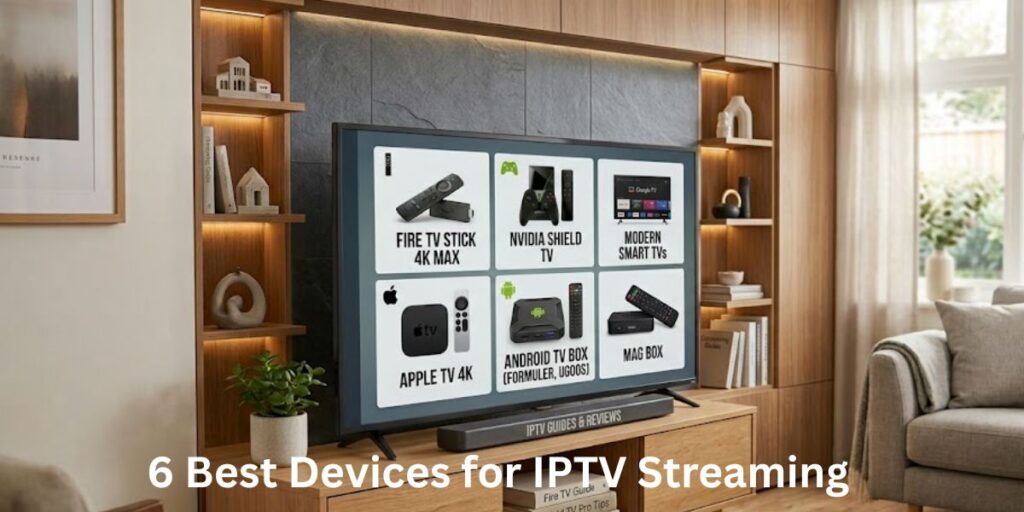
A great IPTV subscription can only deliver its full potential when it is paired with the right streaming device. Many people focus on channel lists and subscription prices, but the device you use has a major impact on picture quality, app performance, and overall reliability. A slow or outdated device can cause lag, buffering, and frustrating navigation, even if your internet connection is good.
In 2026, streaming hardware has become faster, more efficient, and easier to set up than ever before. Whether you watch live sports, movies, TV series, or international channels, choosing the right device can make your IPTV experience noticeably smoother. This guide compares six of the best IPTV streaming devices and explains which type of user each one suits best.
What Makes a Good IPTV Device?
Before looking at specific devices, it helps to understand the features that matter most for IPTV streaming. A good device should offer:
- Fast app loading and smooth navigation
- Stable Wi‑Fi or Ethernet connectivity
- Support for HD and 4K streaming
- Compatibility with popular IPTV apps
- Regular software and security updates
- Enough processing power to handle live streaming without lag
These factors are often more important than having the most expensive device on the market.
1. Amazon Fire TV Stick 4K Max
Best overall for most IPTV users
The Fire TV Stick 4K Max remains one of the strongest all-round choices for IPTV streaming. It is affordable, compact, and powerful enough to handle HD and 4K streams with ease. Because it plugs directly into your TV’s HDMI port, setup takes only a few minutes.
The device works exceptionally well with popular IPTV apps such as IPTV Smarters Pro, TiviMate, XCIPTV, Smart IPTV, and Perfect Player. Its voice remote and responsive interface make it easy to switch channels, search for content, and launch apps quickly.
Why choose it?
- Excellent value for money
- Smooth 4K performance
- Wide IPTV app support
- Easy setup for beginners
- Portable enough for travel
If you want one device that balances price, performance, and convenience, the Fire TV Stick 4K Max is the safest recommendation.
2. NVIDIA Shield TV
Best premium Android TV device
For users who want the highest level of performance, the NVIDIA Shield TV is difficult to beat. Its powerful processor delivers extremely smooth navigation, fast channel switching, and excellent 4K playback. It is also ideal for users who run multiple apps or use advanced IPTV features.
The Shield TV supports TiviMate, IPTV Smarters Pro, Kodi, XCIPTV, and virtually every major Android TV IPTV application. It also receives regular software updates, which helps maintain long-term reliability.
Best for:
- Heavy IPTV users
- 4K streaming enthusiasts
- Users who want the fastest Android TV experience
- Homes with large TV screens
3. Modern Smart TVs (Samsung, LG, Google TV Models)
Best for a simple, cable-free setup
Many modern Smart TVs allow you to install IPTV apps directly, eliminating the need for an additional streaming device. This creates a cleaner setup with fewer cables and remotes.
Samsung and LG TVs support apps such as Smart IPTV, NET IPTV, and SET IPTV, while Google TV models can also run Android-based IPTV apps. The main advantage is convenience: everything is built into the television.
Pros:
- No extra hardware required
- Simple installation
- Fewer cables and remotes
- Great for family use
Consideration: Some Smart TVs have less processing power than dedicated streaming devices, so very large playlists or advanced IPTV features may perform better on a Firestick or Android TV box.
4. Apple TV 4K
Best for Apple ecosystem users
Apple TV 4K offers premium build quality, excellent video processing, and one of the smoothest user interfaces available. If you already use an iPhone, iPad, or other Apple devices, integration is seamless.
Compatible IPTV apps are available through the App Store, and the device handles high-bitrate HD and 4K streams exceptionally well. Although it is more expensive than a Firestick, many users appreciate its speed, stability, and long software support cycle.
5. Android TV Box (Ugoos, Formuler, and Similar Models)
Best for power users and custom setups
Android TV boxes provide more storage, additional ports, and greater flexibility than streaming sticks. They are ideal for users who want to connect external storage, use Ethernet for maximum stability, or run several IPTV and media apps simultaneously.
Formuler devices are particularly popular among IPTV enthusiasts because of their IPTV-focused software features, while Ugoos boxes are known for strong hardware performance.
Advantages:
- More storage and RAM
- Ethernet connectivity
- USB ports for external devices
- Excellent multitasking performance
- Greater customization options
6. MAG Box
Best for a traditional IPTV experience
MAG boxes are purpose-built for IPTV streaming. Their interface is designed specifically for television viewing, with fast channel switching and a straightforward menu system that feels similar to a traditional cable or satellite box.
They are especially popular with users who prefer a dedicated IPTV device without the extra apps and features found on Android TV platforms.
Which Device Should You Choose?
The best device depends on how you watch IPTV:
- Choose Fire TV Stick 4K Max if you want the best balance of price and performance.
- Choose NVIDIA Shield TV if you want the fastest and most powerful Android TV experience.
- Choose a Smart TV if you prefer the simplest setup with no extra hardware.
- Choose Apple TV 4K if you are already invested in the Apple ecosystem.
- Choose an Android TV Box if you need extra storage, Ethernet connectivity, and advanced customization.
- Choose a MAG Box if you want a dedicated IPTV device with a traditional TV-style interface.
These are some of the most popular devices for IPTV streaming, but each one offers different features and advantages. For a more in-depth comparison, check out our Best Devices for IPTV in 2026 guide before choosing your next streaming device.
Get More from Your IPTV Streaming with Vplay Media
Finding the right streaming device is an important first step, but the overall experience also depends on the IPTV service you choose. A reliable subscription can make a noticeable difference in streaming quality, channel loading speed, and day-to-day performance. That’s why many viewers choose Vplay Media for a smooth and hassle-free IPTV experience.
Whether you stream on a Firestick, Smart TV, Android TV Box, MAG Box, Android phone, iPhone, iPad, or tablet, Vplay Media is designed to work seamlessly across a wide range of compatible devices. With quick setup, flexible subscription plans, and support for popular IPTV apps, you can start watching your favourite content in just a few simple steps.No matter which device you choose for IPTV streaming, Vplay Media helps you enjoy reliable entertainment with a subscription built for performance, flexibility, and ease of use.
Contact Vplay Media
Ready to start your IPTV journey? Get in touch with us today and request your free 24-hour IPTV trial.
📱 WhatsApp: +44 7828 741 635
📧 Email: vplaymedia247@gmail.com
📝 Apply for Your Free Trial:
https://vplaymedia.com/order-free-trial/
Our team is happy to help you choose the right subscription plan, answer your questions, and guide you through the setup process so you can start streaming with confidence.
Frequently Asked Questions
1. Which device is best for IPTV streaming in 2026?
For most users, the Amazon Fire TV Stick 4K Max offers the best balance of price, performance, and ease of use.
2. Is Firestick better than a Smart TV for IPTV?
A Firestick usually provides faster performance, more IPTV app options, and more frequent software updates than many built-in Smart TV systems.
3. Can I watch IPTV in 4K?
Yes. Devices such as the Fire TV Stick 4K Max, NVIDIA Shield TV, Apple TV 4K, and many Android TV boxes support 4K streaming when the IPTV service provides 4K content.
4. Which IPTV apps work on these devices?
Popular apps include IPTV Smarters Pro, TiviMate, XCIPTV, Smart IPTV, Perfect Player, NET IPTV, and SET IPTV.
5. Do I need a separate device if I have a Smart TV?
Not necessarily. Many Smart TVs can run IPTV apps directly, though a dedicated streaming device may offer better performance and app compatibility.
6. Is Ethernet better than Wi‑Fi for IPTV?
Yes. A wired Ethernet connection is generally more stable and can reduce buffering, especially for HD and 4K streams.
7. What internet speed is recommended for IPTV?
A stable broadband connection of at least 25 Mbps is recommended for smooth HD streaming, while 50 Mbps or higher is ideal for 4K streaming and multiple devices.
8. Can I use the same IPTV subscription on multiple devices?
That depends on your IPTV provider and subscription plan. Some plans allow multiple simultaneous connections, while others support only one active device at a time.