
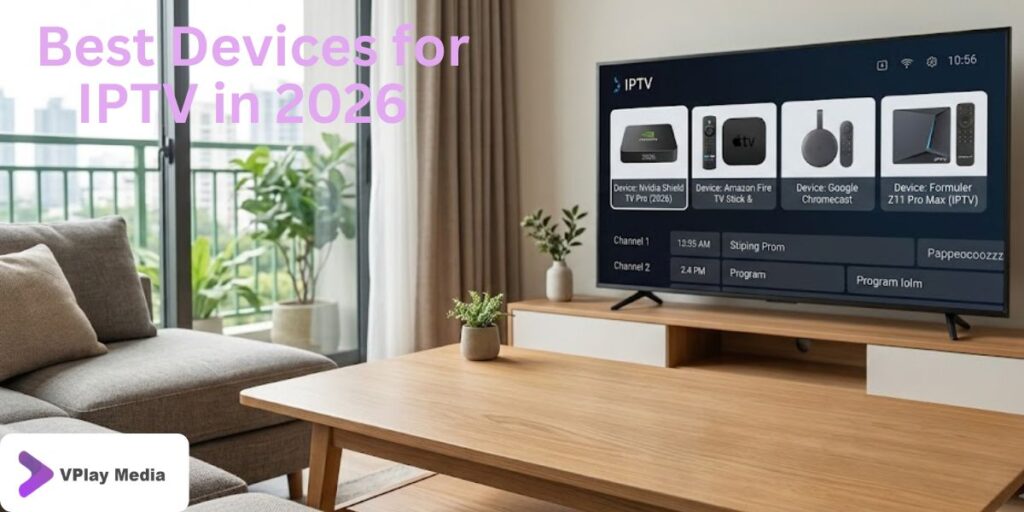
Watching IPTV is about more than choosing the right subscription. The device you use also plays an important role in your overall viewing experience. A fast, reliable device can provide smoother streaming, quicker navigation, and better picture quality, while an older or less powerful device may struggle with high-definition content.
With so many streaming devices available in 2026, choosing the right one can feel overwhelming. Some devices are designed for portability, while others are built to deliver the best home entertainment experience. This guide will help you compare the most popular IPTV devices and choose the one that suits your needs.
Why Your IPTV Device Matters
Even with a high-quality IPTV subscription, your viewing experience depends on the hardware you’re using. A good streaming device offers faster performance, supports modern IPTV apps, and delivers stable playback for live TV, movies, and sports.
The right device can provide:
- Faster app loading
- Smooth HD and 4K streaming
- Better Wi-Fi performance
- Quick channel switching
- Support for popular IPTV players
- Easy installation and setup
Investing in a reliable device can make everyday streaming much more enjoyable.
1. Amazon Firestick
The Amazon Firestick remains one of the most popular devices for IPTV users. It is affordable, compact, and supports many well-known IPTV applications.
Why Choose Firestick?
- Easy to install
- Excellent performance
- Supports IPTV Smarters Pro, TiviMate, XCIPTV, Smart IPTV, and other popular apps
- Portable and travel-friendly
- Regular software updates
Firestick is an excellent option for beginners as well as experienced IPTV users.
2. Android TV Boxes
Android TV Boxes offer more storage, stronger hardware, and greater flexibility than many basic streaming devices. They are ideal for users who watch IPTV every day.
Benefits
- Powerful processors
- Large storage capacity
- Support for many IPTV applications
- USB and expandable storage options
- Smooth multitasking
If you want a dedicated IPTV device, an Android TV Box is a great investment.
3. Smart TVs
Modern Smart TVs allow users to install IPTV applications directly without requiring additional streaming hardware.
Advantages
- Large display
- Fewer cables
- Simple setup
- Supports many IPTV players
- Ideal for family entertainment
A Smart TV provides a clean and convenient streaming experience for everyday use.
4. Android Smartphones and Tablets
Many people prefer watching IPTV while travelling or away from home. Android phones and tablets offer excellent flexibility and support many IPTV applications.
Best Features
- Watch anywhere
- Easy playlist management
- Touchscreen navigation
- Compatible with most IPTV apps
- Portable entertainment
This is an excellent choice for users who frequently travel.
5. iPhone and iPad
Apple users can also enjoy IPTV through compatible applications available for iOS devices.
Why iOS Devices Work Well
- Fast performance
- Excellent display quality
- Smooth playback
- Secure operating system
- Easy-to-use interface
These devices are perfect for users who already use Apple’s ecosystem.
6. MAG Box
MAG Boxes remain popular among IPTV users because they are built specifically for IPTV streaming. Their simple interface makes them easy to use for people who prefer a traditional TV experience.
Key Features
- Designed for IPTV
- Stable performance
- Fast channel loading
- Easy navigation
- Reliable playback
MAG Boxes are often chosen by users who want a dedicated IPTV device without additional features.
After choosing your streaming device, follow our IPTV Setup Guide for Beginners for simple step-by-step instructions to install and start streaming.
What Features Should You Look For?
Before purchasing a device, compare the features that will improve your everyday streaming experience.
Look for:
- Fast processor
- Reliable Wi-Fi connectivity
- HD or 4K support
- Sufficient storage
- Regular software updates
- Compatibility with IPTV apps
- User-friendly interface
Choosing a device with these features will help you enjoy smoother and more reliable streaming.
Which Device Is Right for You?
The best IPTV device depends on how and where you watch content.
- Firestick – Great for most users and easy to set up.
- Android TV Box – Best for heavy IPTV users who want extra power.
- Smart TV – Ideal for watching on a large screen without additional hardware.
- Android Phone or Tablet – Perfect for streaming while travelling.
- iPhone and iPad – Excellent for Apple users.
- MAG Box – A solid option for dedicated IPTV viewing.
There isn’t one perfect device for everyone. Choosing the one that matches your viewing habits will provide the best experience.
Get the Best Experience with the Right IPTV Subscription
Choosing the right streaming device is only part of the equation. To enjoy smooth live TV, movies, sports, and series, you also need a reliable IPTV subscription. Even the most powerful device cannot deliver a great viewing experience if the IPTV service is unstable.
When selecting an IPTV provider, consider:
- Reliable streaming performance
- High-quality HD and 4K support
- Fast channel loading
- Flexible subscription plans
- Responsive customer support
- Compatibility with multiple devices
A dependable IPTV service combined with the right device gives you the best possible entertainment experience.
Experience Premium IPTV Streaming with Vplay Media
The right streaming device deserves a reliable IPTV subscription. At Vplay Media, we deliver a premium IPTV experience designed to work smoothly across today’s most popular devices, so you can enjoy your favourite entertainment without unnecessary interruptions.
With Vplay Media, you can enjoy:
- 10,000+ live TV channels
- Thousands of movies and TV series
- Free 24-hour IPTV trial
- Flexible subscription plans (1 Month, 3 Months, 6 Months, and 12 Months)
- Compatibility with Firestick, Smart TVs, Android TV Boxes, Android phones, iPhone, iPad, MAG Box, and more
- Support for popular IPTV apps, including IPTV Smarters Pro, TiviMate, XCIPTV, IBO Player, Smart IPTV, Perfect Player, NET IPTV, and SET IPTV
- Quick and easy setup
- Friendly customer support
Contact Vplay Media
Ready to enjoy premium IPTV on your favourite device?
WhatsApp: +44 7828 741 635
Email: vplaymedia2@gmail.com
Our team is happy to help you choose the right subscription plan, assist with setup, and answer any questions before you get started.
Frequently Asked Questions
1. Which is the best device for IPTV in 2026?
Amazon Firestick, Android TV Boxes, and modern Smart TVs are among the most popular options because they support leading IPTV apps and provide reliable performance.
2. Is Firestick good for IPTV?
Yes. Firestick is easy to set up, supports many IPTV applications, and delivers a smooth streaming experience.
3. Can I watch IPTV on a Smart TV?
Yes. Many Smart TVs allow you to install compatible IPTV apps directly, making streaming simple without extra hardware.
4. Which IPTV apps work on these devices?
Popular options include IPTV Smarters Pro, TiviMate, XCIPTV, IBO Player, Smart IPTV, Perfect Player, NET IPTV, and SET IPTV.
5. Do I need a special internet connection?
A stable broadband connection is recommended for smooth HD and 4K streaming.
6. Can I use one IPTV subscription on multiple devices?
This depends on your subscription plan. Some IPTV providers allow multiple connections, while others support one device at a time.
7. Why does my IPTV buffer?
Buffering can be caused by slow internet speeds, network congestion, or an unreliable IPTV provider.
8. Does Vplay Media support all popular IPTV devices?
Yes. Vplay Media is compatible with Firestick, Smart TVs, Android TV Boxes, Android phones, iPhones, iPads, MAG Boxes, and many other supported devices.
9. Can I try the service before subscribing?
Yes. Vplay Media offers a free 24-hour IPTV trial so you can test the service before choosing a subscription plan.
10. How do I get started with Vplay Media?
Simply contact us via WhatsApp or email, or complete the free trial application form on our website. Our team will guide you through the setup process and help you start streaming quickly.